Artificial intelligence

Yellowing of AI: The Golden Hour Before Sunset

When I visit home, I love flipping through old photo albums. From ski trips to vacations to Disney and every birthday in between, my mom has collected dozens of filled photo books. Recently, she realized the photos are taking on a yellow varnish, simply from being 20+ years old. To preserve these memories, she started a detailed and extensive project to digitally scan the collection.

Of course, paper yellows, photographs fade, varnish cracks. Time fades memories as much as we try to hold onto them.

But, I noticed a funny similarity between the photos Mom scanned and the AI images created online. And, if you’re here, I think you noticed it too: AI is yellowing.

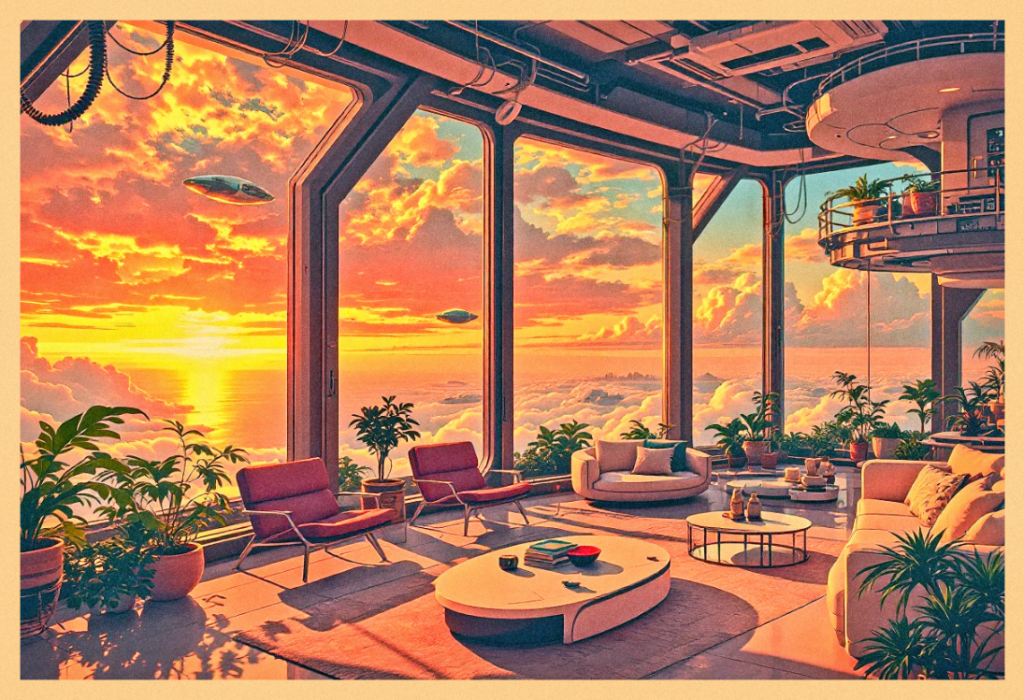
Artificial intelligence seems to be skipping ahead in the aging process. The yellowing of AI was first noticed over the past few months where images generated by models like DALL-E, Midjourney, and ChatGPT appear glowing with a yellow haze. It’s always golden hour, and my theory is that AI is close to sunsetting.
Yellowing of AI: Yellowing in History

The irony is that visual art and photography have wrestled with yellowing for centuries. Early photographs often took on a sepia look as chemicals oxidized. Paintings varnished in the Renaissance turned amber with age, muting stunning blue skies into a mustard yellow.

Many museums spend years restoring blues swallowed by time. Over time, many paintings start to yellow, which hides bright colors like blue. Museums use careful restoration to clean away the discoloration and bring those original colors back. Restoring the blue isn’t just about looks—it helps people today see the artwork as the artist meant it to be seen.

Conservation efforts, whether through careful restoration, climate regulation, or digital archiving, allow art to keep speaking, generation after generation. Without preservation, we risk losing not just the work itself, but the voice, struggle, and spirit behind it.

If you are interested in the restoration and preservation of art, you may like this other article I wrote on The Destruction of Art.

The “why” behind all this is even more mysterious.

One theory for this yellowing is the use of linseed oil in oil painting. According to George O’Hanlon and Painting Best Practices, “this phenomenon occurs due to the oxidation and polymerization of the oil.” But, it seems this yellowing is reversible by sun-bleaching your oil painting, as seen in the experiment visualized below.
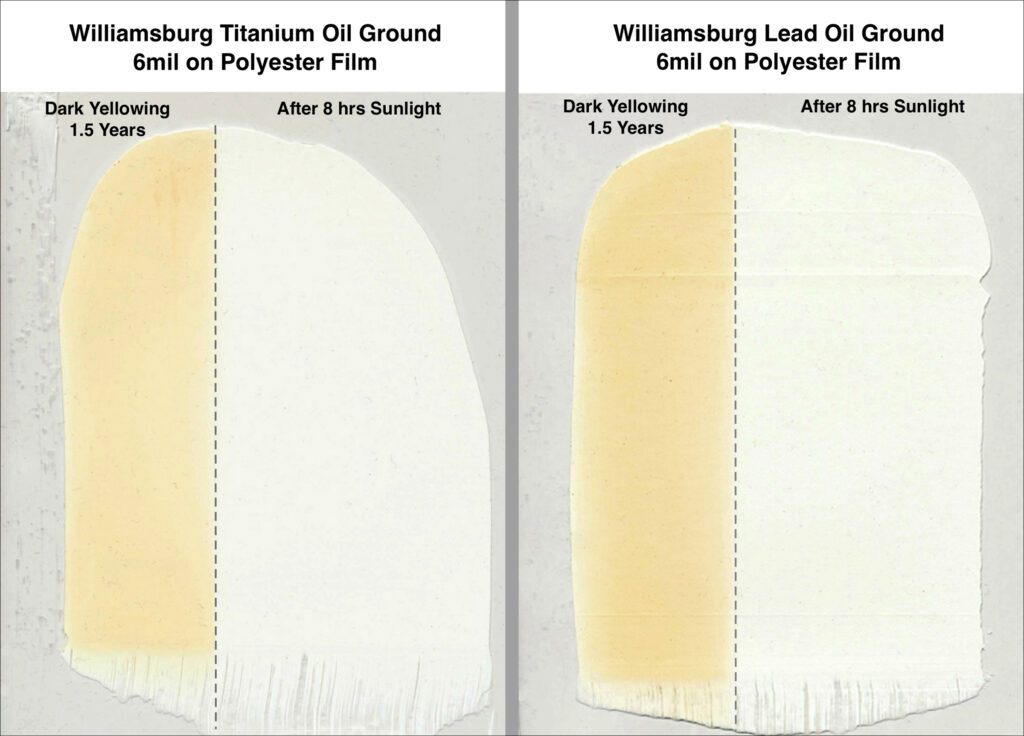
Unfortunately, the mystery of why paints yellow has yet to be solved. Numerous environmental factors play into testing materials, contributing to complicated chemistry behind the mustard-ization of artwork over time. Sarah Sands with JustPaint.org lists these environmental factors including the following:

  • “Humidity,
  • temperature,
  • the amount and type of light,
  • periods of darkness,
  • exposure to chemicals,
  • the pigments used,
  • the type of oil and the method of processing it,
  • presence of impurities,
  • the thickness of the paint,
  • use or lack of driers,
  • added mediums,
  • differences in formulations,
  • and a host of other variables…”

Yellowing of AI: The Color Theory Problem

If you ask a color theorist, yellow can be tricky. As the lightest primary color, yellow can sometimes dominate a piece when it’s unbalanced, just like bananas in smoothies.

An artist knows the general basics of the color wheel and easy color theory: you mix blue and yellow to get green. A more developed artist like a watercolor painter knows to mix 90% yellow with 10% blue to create a green smoothie that doesn’t taste solely like bananas.

They also know that warmer colors are pushed forward while cooler colors are pushed back. It’s why Gainsborough was such a baddie.
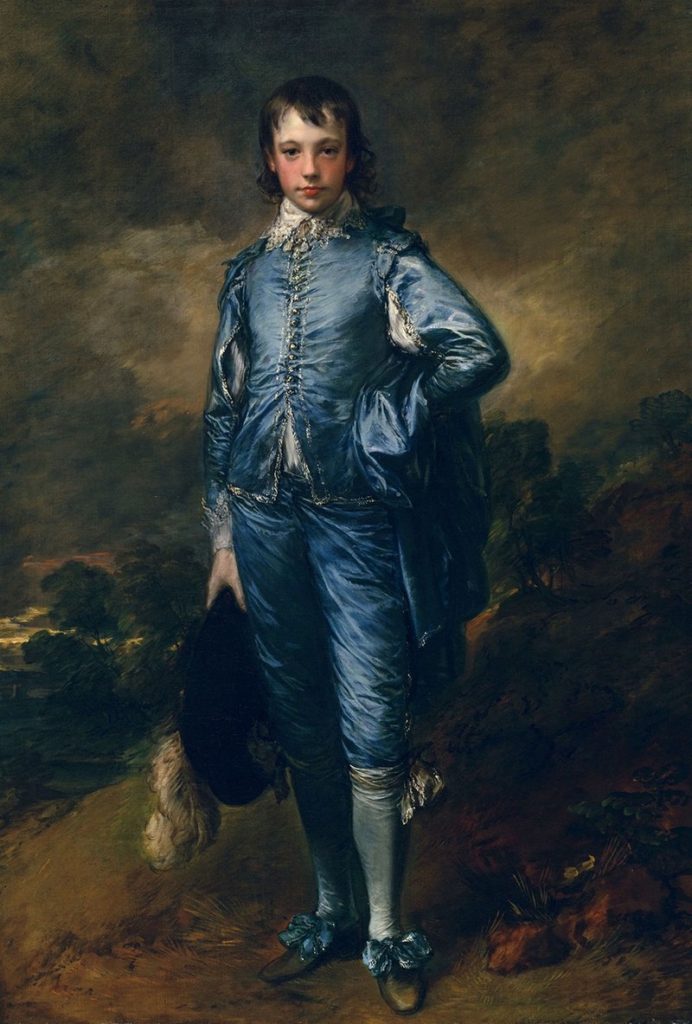
blue boy by Gainesborough The painting is notable for its use of the color blue, which was unusual for the time
The Blue Boy by Thomas Gainsborough
A great mastery of color theory and artistic ego and spunk

All this to say, an artist understands the principles, elements, theories, and nuances of art. A human understands the need for art and how it makes humanity better. AI does not.

In AI’s case, it isn’t a painter reaching for cadmium—it’s a statistical hiccup. Are we really surprised that the robot favors warmth?

Yellowing of AI: Ouroboros

In late March and early April 2025, the AI art world noticed this new quirk and called it “the yellowing of AI.” Images created from DALL-E, Midjourney, and especially ChatGPT kept showing up with a yellow tint, as if every canvas had been washed in yellow ochre. Subreddits like /r/ChatGPT and /r/ChatGPTPro first noticed the trend, and it’s grown more popular since.

While the possibilities for this golden hiccup are unknown, I have my theories.
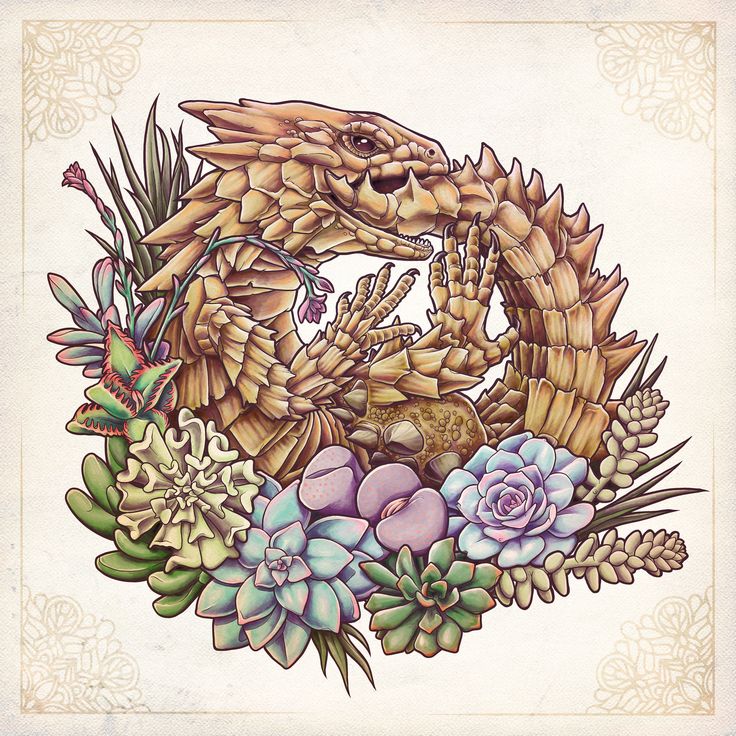
Matt Verges dragon eating its own tail to show the yellowing of AI
Ouroboros by Matt Verges

The first theory is that AI models are trained on yellow images. If you put in old, sepia photos and filtered Instagram posts, you may see them circulate back to you. The models are fed information from all over, most notably the free and public internet. If the AI can’t differentiate an old image from a heavily filtered image, then it may believe that both photos come from the same time period and are actively relevant.

Another theory is that AI is chewing on its own leftovers. As more generated images feed back into training sets, the flaws are exponentially exaggerated. If half those images lean yellow, the model doubles down, convinced it has discovered the truth of beauty. The ouroboros metaphor is almost too perfect: the AI swallows its tail, burps out more golden sludge, and calls it progress.

In project management terms, AI’s golden hour isn’t shining. It’s sunsetting.

Yellowing of AI: Do Artists Still Matter? P.S. They Do!

A painter knows when to glaze a yellow to add warmth and that sunset glow to a landscape painting. A photographer knows to run outside to capture the golden hour at the perfect moment. An AI model doesn’t know the nuances of creating art, it just predicts what it thinks the audience wants.

When every image comes out mustard, it reminds us why actual artists are irreplaceable. We don’t just reproduce—we choose, edit, and improvise. The yellowing glitch is proof that craft and judgment can’t be automated away.
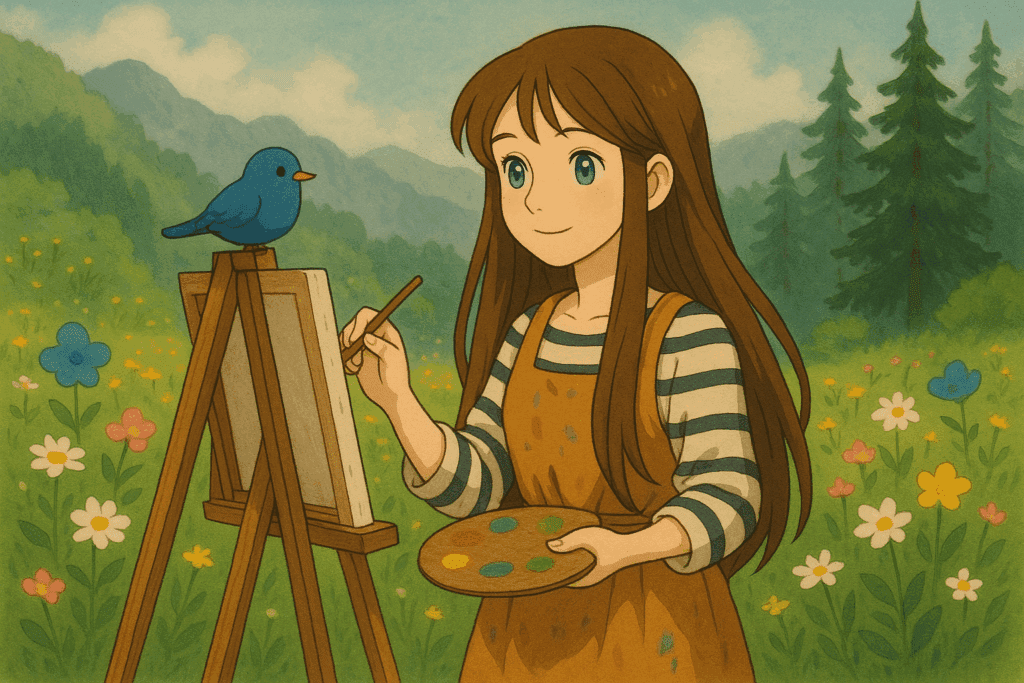
The Yellowing of AI Art by Brianna Eisman

The real question we need to be asking is whether AI models will learn and evolve to comprehend and create true art. Personally, I think this process will take time, but it may be inevitable. And its not because the AI will get smarter, though that is true. AI will learn to comprehend and create art because we as a species and as a society are failing human artists.

A beautiful painting is created, but if no one sees it, is it art?

I can write article after article about this, but if no one reads them, do they matter?

We live in a time where creativity is everywhere, but meaning feels harder to find. I think about this a lot when I watch a video of an artist paint the Mona Lisa in 30-seconds, but it’s buried under trends, or dismissed as “just content.” Somewhere along the way, we stopped giving art the space it deserves.

During the Renaissance, fine art was meant to challenge people. It questioned power, religion, and beauty in ways that made people feel uncomfortable. It meant something. But now, fine art feels like it’s everywhere and nowhere at the same time. It’s not that people don’t care about art, it’s just that so much of it is made to be content, not to be felt.

Yellowing of AI: Why Actually Nothing Matters

When art starts to lose its value, it tends to start to disappear. We scroll past talent, overlook technique, and straight up ignore beauty. And what happens if people can’t recognize the value of a painting or sculpture in peace, what happens to that art in times of conflict? The less we appreciate it, the less we fight to protect it.

When artists are threatened and AI can develop a complex emotion visually better than you can create it on paper, do you choose the path of least resistence? Or do you fight for the art you love? Do you give in to technology and progress because AI said it was “progressive?”

Obviously I can’t answer these questions without sounding like a hypocrite, so I will leave it here for your own judgement. The truth is that AI is yellowing. Images created by AI models are turning mustard and you can choose to see it as a pretty sunset or a sick and twisted death.

Are we watching a golden revolution in art—or just the longest sunset in history?

Yellowing of AI: The Golden Hour Before Sunset Read More »
Canva AI: How to Actually Breakthrough Creative Challenges

Artificial intelligence (AI) has become the ultimate game-changer, sneaking into nearly every corner of our lives—from saving lives in healthcare to making binge-worthy shows even better. One area where AI really gets to shine is in the the world of art and design. Now, I know allowing artists to use artificial intelligence is controversial, but I’ve already shared my opinions on artists using AI. This article ascertains that AI is not going away anytime soon and it’s up to artists to either adapt or be left behind.

That being said, this article will talk about one of my favorite creative platforms: Canva! The beloved design platform has taken AI’s magic and turned it into tools that make creativity feel like second nature, especially when you’ve hit the “creative wall.” Canva AI is an incredible tool for inspiration, creativity, and what I consider a positive step in artists working with AI.

Living The High Life b y @Life_Of_Flower

This article will discuss where to find Canva AI, how to use it, what it can be used for, and the broader implications of AI on society. It is also important to note that every image in this article was created using some kind of artificial intelligence technology.

Where to Find Canva AI

Canva AI is embedded directly into the Canva platform, which can be accessed through any web browser or via the Canva mobile app. Whether you’re using Canva’s free version or its premium subscription, Canva Pro, the AI tools are available to explore. Simply navigate to www.canva.com and sign in or create an account. Once inside, you’ll find many of Canva’s AI features integrated seamlessly into the design interface.

For users seeking more in-depth step-by-step guidance, Canva’s help center offers tutorials and FAQs to help you get started.

How to Use Canva AI

Canva AI is designed with simplicity and accessibility in mind, ensuring that users of all experience levels can dive right in. Here’s a quick guide on how to get started with five Canva AI tools.

  1. Magic Resize: With this tool, you can instantly resize your designs to fit different platforms, such as Instagram, Facebook, or YouTube. Simply create your design, click “Resize” in the top menu, and select your desired dimensions.
  2. AI-Powered Text Suggestions: Canva AI assists with crafting headlines, captions, and even full paragraphs for your projects. Just click on the “Text” tool, and Canva will offer smart suggestions to save time and spark creativity.
  3. Background Remover: For those looking to refine photos, the AI-powered background remover eliminates unwanted elements with a single click. This feature is particularly useful for product photography, portraits, or creating clean design elements.
  4. Video Editing with AI: Canva’s video tools utilize AI to streamline editing processes. Features such as auto-alignment, smart transitions, and even script-to-video creation make video production approachable for everyone.
  5. Text-to-Image AI: One of Canva AI’s standout features is its ability to generate unique images from text prompts. To use this tool, open a blank design canvas, click on “Apps” in the left-hand menu, and select “Text to Image.” Type a description of the image you want, such as “a serene beach at sunset,” and Canva will generate options for you to use in your design.

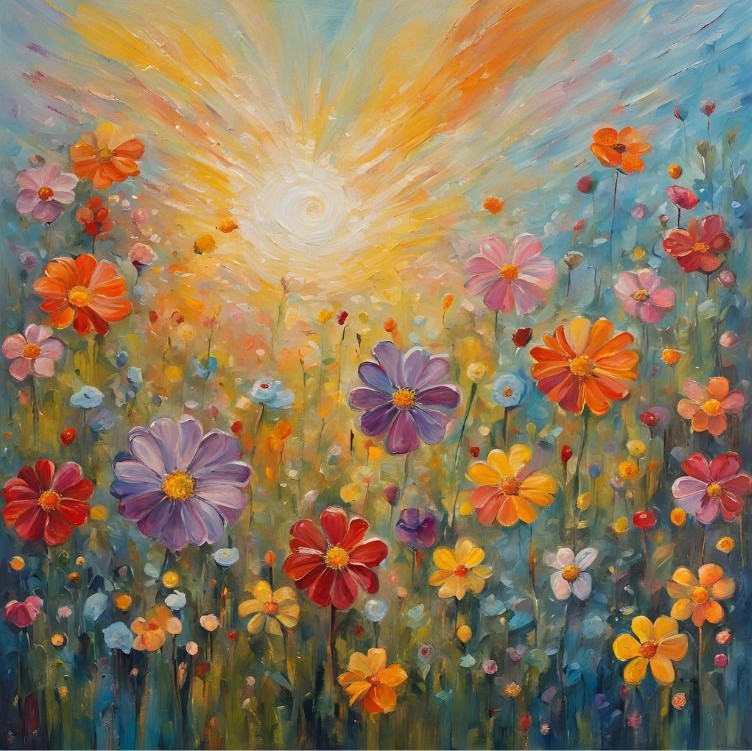
AI Flower Art by Brianna Eisman

The Canva ai Image Generator

As an artist with an expansive imagination, I enjoy and use the Text-to-Image (or Image Generator) Canva AI tool the most. It’s created with DALL·E from OpenAI and converts your text into digitally created images which you can download as JPG, PNG, PDF, or GIF.

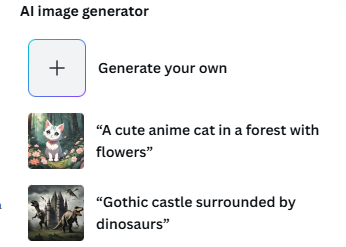
To find the Canva AI Image Generator, open up a new project and look under the “Elements” tab. There, you should see something like this image below:

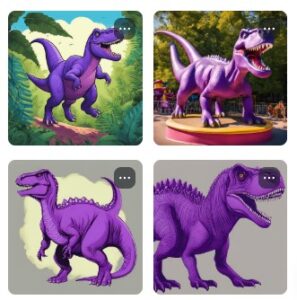
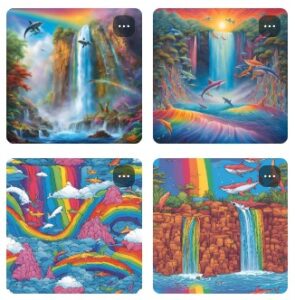
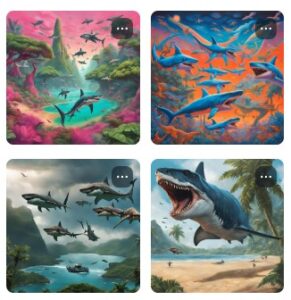
Next, click the box that says “Generate your own” and let your imagination run free! From purple dinosaurs to a rainbow waterfall with flying sharks, your imagination (and Canva’s AI Product Terms⁠ and Acceptable Use Policy) are the only limits to your creativity.

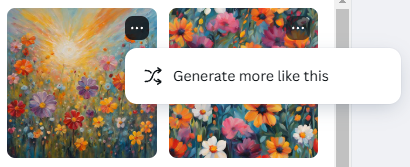
Plus, if only one image is close to what you’re looking for, but not exactly, you can click on the three dots at the top of the image and “generate more like this.” This function offers 4 more images similar in style or content to the chosen image, and can help narrow your search for something that aligns closer to your intended creation.

What You Can Use Canva AI For

Canva AI opens up a world of possibilities for users across industries and interests. The tools are extremely versatile and can be used in many really cool ways.

Social Media Content: From Instagram posts to TikTok videos, Canva AI helps create eye-catching content that aligns with your brand.

Marketing Materials: Design professional brochures, flyers, and email templates that stand out from the crowd.

Educational Resources: Teachers and students can use Canva AI to craft presentations, worksheets, and infographics that make learning engaging.

Event Invitations: Whether it’s a wedding, birthday, or corporate event, Canva AI simplifies the process of creating beautiful invitations.

Branding: Small businesses and entrepreneurs can design logos, business cards, and merchandise with ease.

Custom Projects: From vision boards to art projects, you can turn your Canva AI creations into reality that reflect your own style. This Amazon store produces custom canvas prints of any image you want, even an AI one.

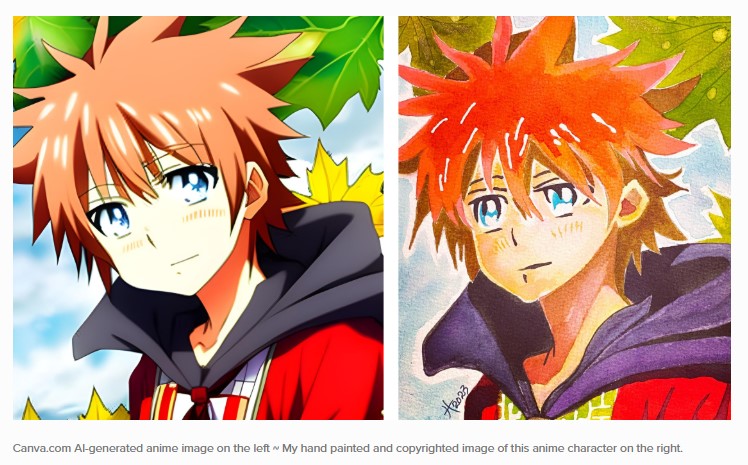
Artist and blogger, Tristina Dietz Elmes, created the following reference image using Canva AI, then drew it using her own artistry and mediums. I think this is a great way to use Canva AI to create art and expand your drawing and painting skills.

The Effects of AI on the World

So far you’re thinking, “Wow! This is such a cool and unique tool, why would anyone NOT want to use it?!” And to an extent, I agree with you. AI technology removes artistic barriers, improves productivity, and makes some really wacky looking images.

But, like almost everything nowadays, it has negative impacts worth noting. Using AI to create or imitate art imposes ethical concerns, can lessen opportunities for artists, and actually uses a lot of energy to produce. Personally, I think the pros outweigh the cons, but I try my best to use AI intentionally and with clear and concise purpose.

The good: Democratization of Creativity

Traditionally, professional design tools require specialized skills and training. Canva AI removes these barriers, enabling anyone with an idea to bring it to life. This democratization empowers individuals and small businesses to compete in spaces previously dominated by larger organizations with bigger budgets.

Graphic designer Navneet C. from the Art Insider explains this concept well in their statement on AI art:

“I think AI is a liberation of creativity for designers/artists. Creativity is no longer in service of economic activity but becomes a pure form of self-entertainment and self-expression. This represents two levels of purity: using AI to replace the utilitarian attributes of designers, allowing creativity to return to its essence, and using AI to rediscover the joy of experimentation and play in visual effects.”

The Good: Enhanced Productivity

AI tools save time by automating repetitive tasks. For instance, features like Magic Resize and AI-powered text generation allow users to focus on the creative aspects of their projects rather than tedious formatting. I personally have no quarrel with this argument; more efficient tools means more time to be creative. Period.

The Bad: stealing creativity

As AI tools become more advanced, they bring both exciting possibilities and important ethical considerations. While they enhance creativity and streamline workflows, they also introduce challenges such as copyright concerns and the potential for misuse.

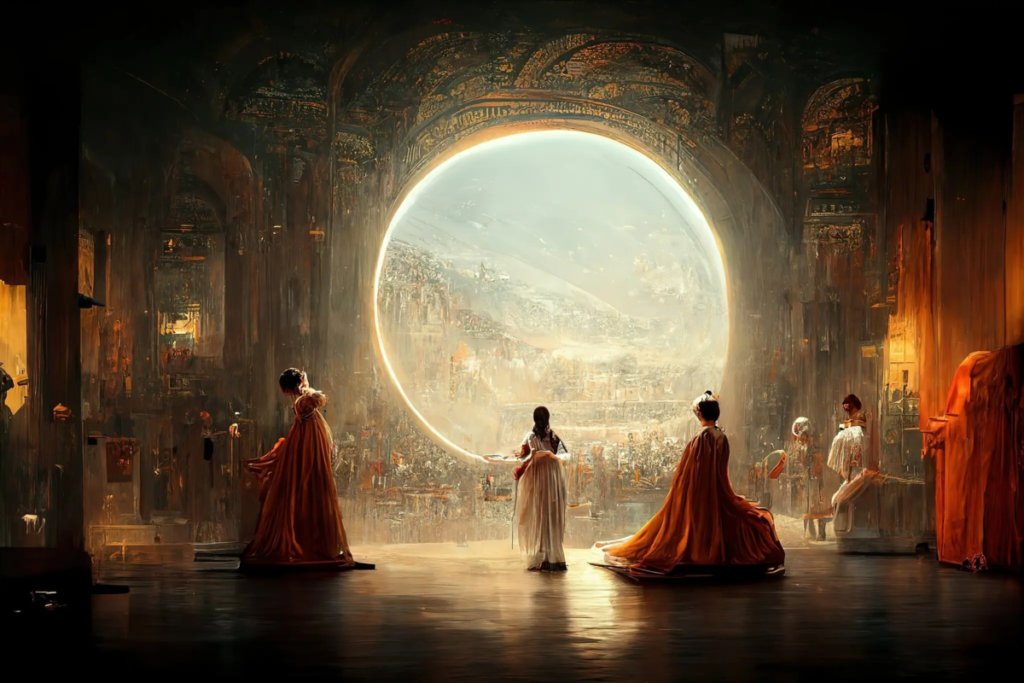
One major issue is intellectual property rights. AI-generated content, including images and text, can sometimes be too similar to existing works, raising questions about originality and ownership. Without clear guidelines, artists and content creators may find their work unintentionally replicated or appropriated. Artists may also find themselves unknowingly competing with art produced using AI. In this article about AI art competitions, Jason Allen won first prize for his work titled Théâtre D’opéra Spatial under the category of digital art/digitally manipulated photography.

The Bad: Misinformation and Fake News

Misinformation is a growing concern, especially with the accuracy progression of AI images. AI can generate realistic yet misleading content, blurring the line between fact and fiction. This is especially problematic in media, marketing, and education, where accuracy is crucial.

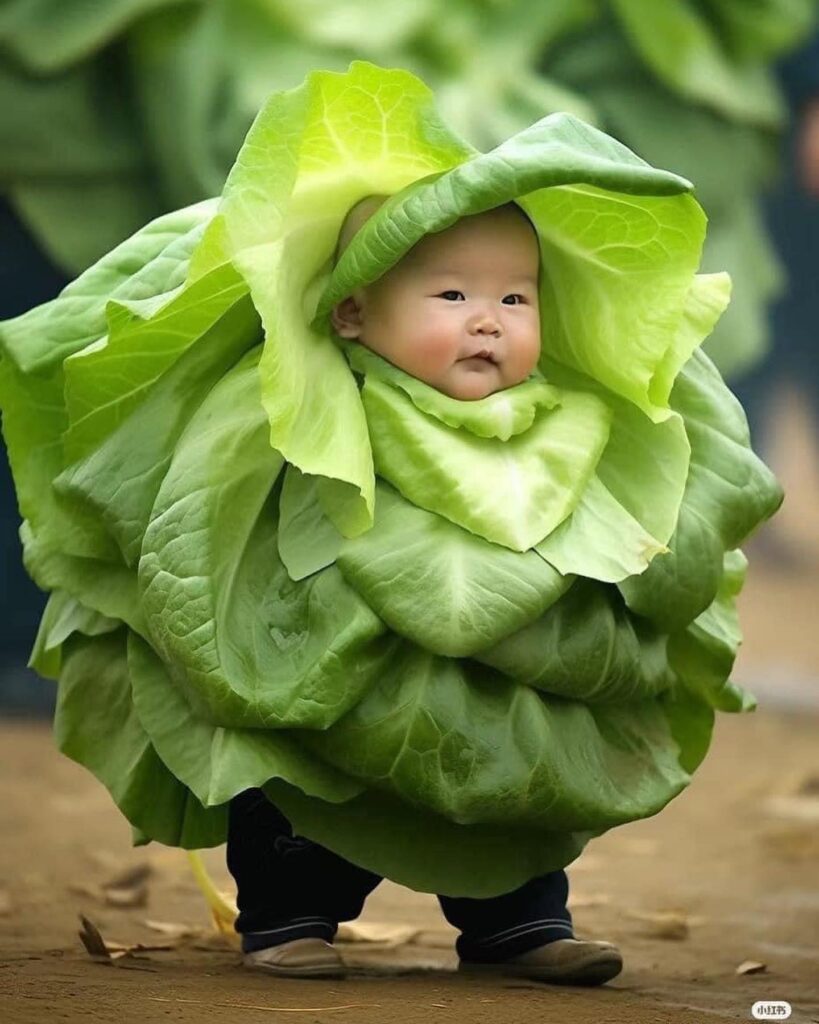
This image received over 10,000 likes on Instagram with a caption describing a town filled with cabbage kids.

It is important to know the signs that something may be created using AI technology.

  1. Inconsistent or Unnatural Details – AI-generated images and videos often have strange distortions, like extra fingers, warped backgrounds, or mismatched lighting. Similarly, AI-written text may sound overly polished, vague, or repetitive.
  2. Lack of Credible Sources – Misinformation posts often make bold claims without linking to reputable sources. If a post presents shocking or controversial information, double-check by searching for confirmation from trusted news outlets.
  3. Emotionally Manipulative Language – AI-generated misinformation is often designed to provoke strong emotions like fear, anger, or excitement. If a post seems exaggerated or sensationalized, it may be crafted to mislead or go viral.
  4. Reverse Image or Fact Checks Don’t Match – Use tools like Google Reverse Image Search or fact-checking websites (Snopes, FactCheck.org) to verify suspicious images and claims. If an image appears elsewhere with a different context, it may be AI-generated or misleading.
  5. Unusual Engagement Patterns – Misinformation posts often have tons of engagement from bots—look for accounts with no profile pictures, generic usernames, or comments that seem repetitive. If a post suddenly gains massive traction with little credible discussion, it’s worth questioning its authenticity.

I will admit to using AI for content creation purposes here at ArtsyDrawings.com. However, I try my best to produce and communicate the most accurate information. I’ve experienced times where AI will write out the wrong steps for painting or when it will explain an arbitrary concept using a questionable artist reference. It’s important to use technology like this, but not to trust it 100%.

To address these challenges, platforms like Canva must establish strong ethical frameworks. This includes implementing safeguards such as content verification tools, clear usage policies, and educational resources to promote responsible AI use. By doing so, they can ensure that innovation remains ethical and beneficial for all users.

Workforce Transformation

As AI becomes more integrated into creative industries, traditional roles may evolve. While some fear job displacement, others argue that AI tools can serve as collaborators, augmenting human creativity rather than replacing it. The democratization of creativity imposes certain threats to artists, especially those artwork can be replicated or imitated using AI resources. Graphic designers, digital artists, and branding directors may need to adjust their strategy to reflect these changes in technology and keep up with the curve.

As an artist myself who supports the livelihood of other artists, I feel conflicted by the underlying surplus of those who can produce art. When you can make a logo and brand for your company in a free app, why would you ever hire an artist? What benefits does an artist bring to the table? Can an artist be replaced with technology?

Environmental Impact

Lastly, AI technologies require significant computational power, which contributes to energy consumption. Companies like Canva are increasingly exploring sustainable practices to minimize their carbon footprint. It’s ironic we can create stunning landscapes using technology that destroys the real ones.

Remember, it’s not up to you alone to save the planet. Until those in power support more sustainable technology, we have to work with what we have to create, learn, and find solutions.

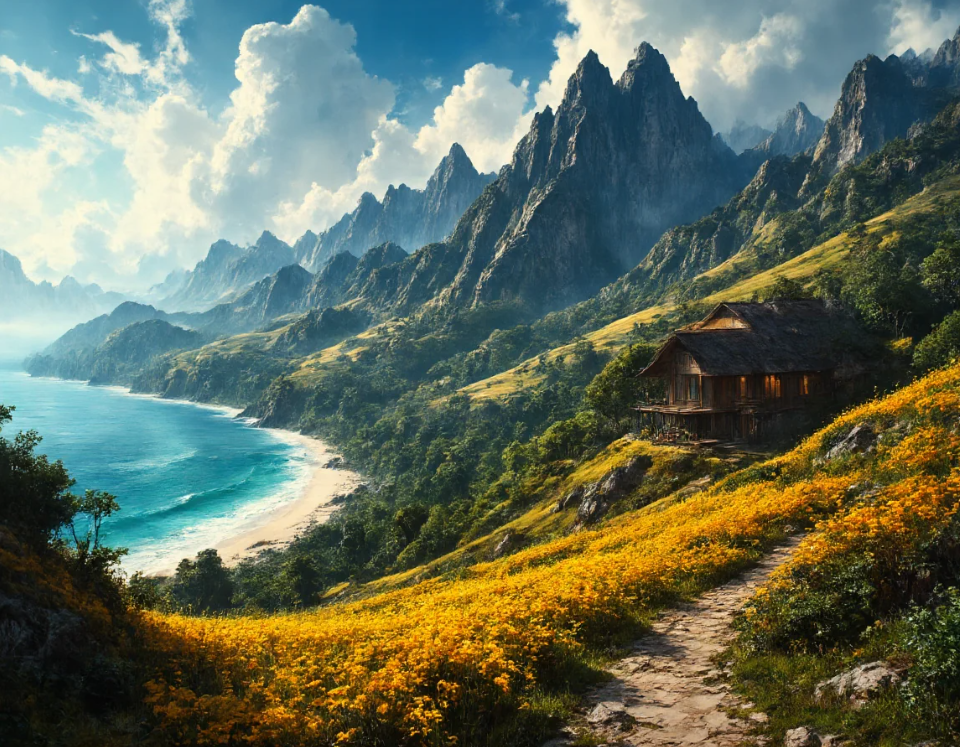
Tropical Beach House by @Hi2uandwelcome

Conclusion

Canva AI represents a leap forward in making design accessible, efficient, and fun. Its tools empower individuals and businesses alike to create professional-grade content without requiring extensive training or resources. As AI continues to shape the way we work and create, it’s essential to balance innovation with responsibility, ensuring that these technologies benefit society as a whole. Whether you’re a seasoned designer or a complete novice, Canva AI invites you to explore, experiment, and redefine what’s possible in the realm of creativity.

As previously discussed at the beginning of this article, and in my other article about AI art, this topic about artificial intelligence and art is controversial.

Should artists be allowed to use AI?

Can AI truly create art?

How will AI impact the role of artists?

What ethical concerns are there regarding AI-generated art?

How can artists utilize AI as a tool to enhance their creativity?

What are the potential legal issues surrounding copyright and ownership of AI-generated art?

Well, I’m here to tell you that I do not know the answer to any of these questions. As someone who practices and has a passion for art, artists, and the art community, I of course have sympathy for artists who have lost opportunities due to the rise of AI technology. However, change in inevitable in any industry. Just in the past few years we have seen technology eliminate old jobs and create new jobs. Artificial intelligence is absolutely daunting, but it’s here to stay.

The truth of the matter is that if you are “afraid” of AI, then you maybe haven’t leveraged it to its fullest potential.

Canva AI: How to Actually Breakthrough Creative Challenges Read More »

Is AI art to be a valuable future or a scary end of originality?

Artificial Intelligence (AI) has been a hot topic in recent years, with its applications ranging from self-driving cars to natural language processing. However, AI is not just limited to practical applications – it is also being used in the field of art, leading to the emergence of AI art. AI art is created using algorithms and machine learning techniques, and is becoming increasingly popular among artists and art enthusiasts. But what does AI art mean for traditional artists, and how will it impact the art world?

How do you make AI art?

First, it’s important to understand how artificial intelligence art is created. AI art comes from feeding an algorithm with a dataset of images or other visual information. Then, machine learning algorithms generate new images based on that dataset. These images can be completely abstract or can be based on specific styles or genres. For example, an algorithm can be trained to generate new images in the style of Impressionism or Cubism. My own personal style is very similar to Impressionism, though I prefer traditional methods to AI. Check out my gallery here.

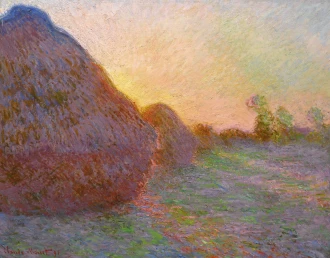
Meules by Claude Monet is a great example of the Impressionism style with small, visible brushstrokes that provide the “bare impression of form.”

AI art is not limited to still images – it can also be used to create animations, videos, and even music. One example of AI art is the deep dream algorithm developed by Google. This algorithm creates surreal and dreamlike images by analyzing and enhancing patterns in existing images. Another example is the artwork created by Mario Klingemann, who uses neural networks to generate abstract and surreal images.

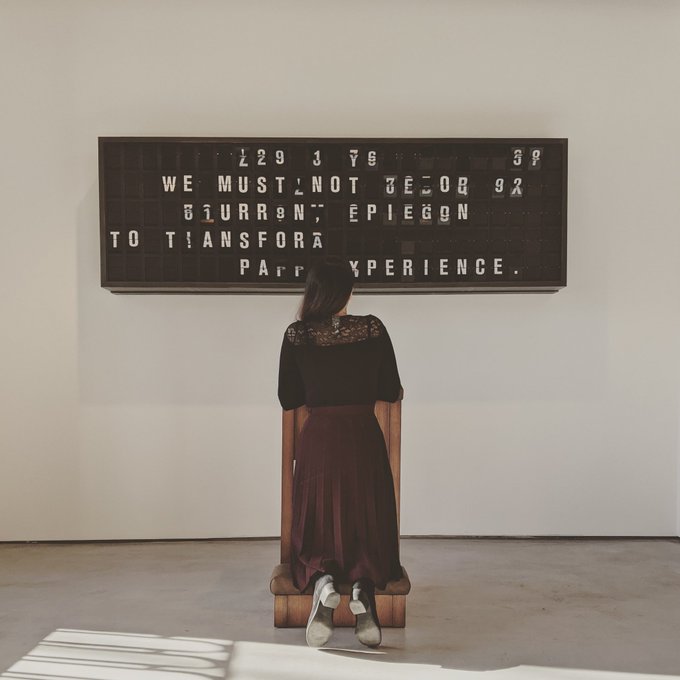
Appropriate Response by Mario Klingemann poses the question of “how much meaning can you put into 125 letters?”

How will AI art affect traditional artists?

So, what does AI art mean for traditional artists? On the one hand, AI art presents new opportunities for artists to experiment with new techniques and styles. Artists can use AI to generate new and inspiring ideas, or to create artworks that would be difficult or impossible to produce manually. For example, an artist could use AI to research images pieced together as a reference image as the basis for a new painting or sculpture.

On the other hand, art made with artificial intelligence also presents new challenges for traditional artists. With the rise of AI art, there is a risk that traditional art forms may become less relevant or even obsolete. If AI can generate images and other artworks with a high degree of accuracy and creativity, why would people need to commission traditional artists? This is a question that many artists and art enthusiasts are grappling with.

In fact, in September 2022 the New York Times posted an article titled An A.I.-Generated Picture Won an Art Prize. Artists Aren’t Happy. The artist used Midjourney, an artificial intelligence program which transforms lines of text into hyper-realistic graphics. He won first prize — a blue ribbon — in the Colorado State Fair, under the division for “digital art/digitally manipulated photography.”

Théâtre D’opéra Spatial by Jason Allen is created using AI art technology and took first place at the Colorado State Fair.

Have we reached the end of originality?

Another challenge for traditional artists is the potential loss of creativity and originality. If an artist relies too heavily on AI to generate ideas and inspiration, their work may become formulaic and predictable. There is also a risk that AI-generated artworks may become too similar to each other, leading to a lack of diversity and innovation in the art world.

Despite these challenges, many traditional artists are embracing artificial intelligence art as a new tool in their creative arsenal. Some artists use AI to generate new ideas and inspirations, while others are using AI to enhance their existing artworks. For example, an artist could use AI to analyze the colors and patterns in their paintings and then use that data to create a new series of paintings with a similar aesthetic.

AI Art is Here to Stay

In conclusion, artificial intelligence art is a new and exciting field that is rapidly growing and evolving. While it presents new opportunities and challenges for traditional artists, it is clear that AI art is here to stay. Whether traditional artists choose to embrace AI as a tool for creativity or view it as a menace and threat to their livelihoods, there is no doubt that AI will have a significant impact on the art world in the years to come.

Is AI art to be a valuable future or a scary end of originality? Read More »

Scroll to Top
Cart
0
Add Coupon Code
Subtotal